You know that feeling when you're streaming your favourite show and suddenly the WiFi dies just as things get interesting? Or when you're working from home and your video calls keep dropping because your office is in a WiFi dead zone? We've all been there, and it's incredibly frustrating.
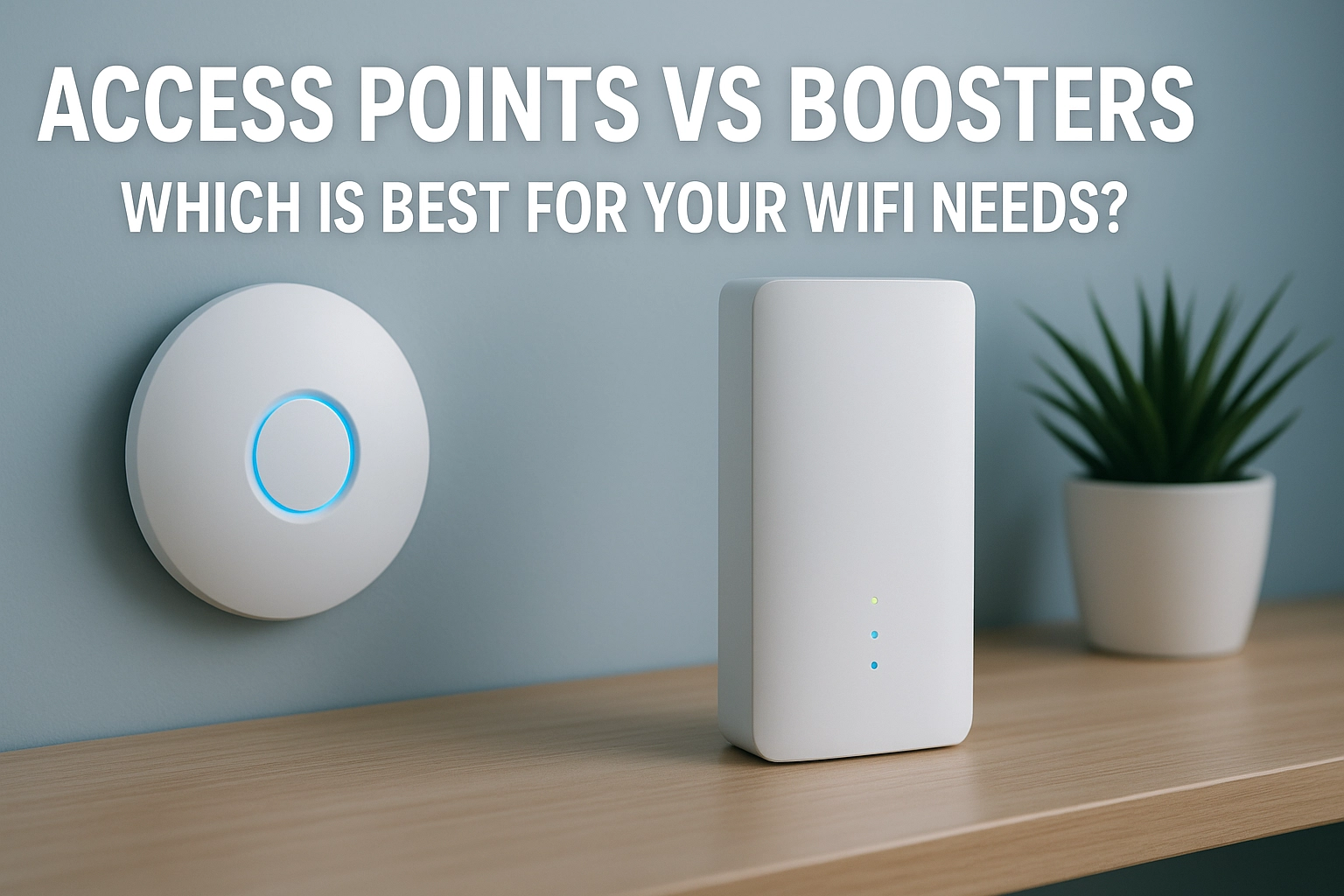
When your WiFi coverage isn't cutting it, you've got two main options to extend your network: access points and WiFi boosters (also called extenders). But here's the thing: they're not the same, and choosing the wrong one could leave you with the same connectivity headaches you started with.
What's the Real Difference?
Let's cut through the tech jargon and get straight to what matters. Think of your router as a lighthouse: it broadcasts a WiFi signal that gets weaker the further you move away from it. Both access points and boosters help extend that signal, but they do it in completely different ways.
WiFi boosters (or extenders) are like signal repeaters. They grab your existing WiFi signal, amplify it, and rebroadcast it to reach further areas. It's a bit like having someone stand halfway between two people and shout messages back and forth.
Access points, on the other hand, are more like building additional lighthouses. They connect directly to your router via an Ethernet cable and create their own strong WiFi network from that wired connection.

The Performance Battle: Speed vs Convenience
Here's where things get interesting, and frankly, where most people get caught off guard.
Boosters: The Good and Not-So-Good
Boosters are incredibly convenient: you literally just plug them in somewhere between your router and the dead zone, follow a few setup steps, and you're done. No cables, no drilling holes, no complicated installation.
But here's the catch: because boosters have to listen to your router and then retransmit that signal, they're essentially doing two jobs at once. This creates a bottleneck that can cut your internet speeds roughly in half. So if you're getting 100 Mbps from your router, you might only see 50 Mbps from the booster.
Think about it like a busy translator at a conference: they have to listen to one person, process the information, then speak it out to others. There's always going to be a delay and some loss in the process.
Access Points: The Performance Champions
Access points take a completely different approach. Since they connect directly to your router via Ethernet cable, they're getting the full, uncompressed internet signal. Then they broadcast their own WiFi network from that strong foundation.
The result? Speeds that are virtually identical to what you'd get standing right next to your main router. We're talking about maintaining close to 100% of your internet speed rather than losing half of it.
Access points also handle more devices better: typically supporting up to 60 simultaneous connections compared to about 20 for most boosters. If you've got a house full of smartphones, tablets, smart home devices, and laptops, this makes a real difference.
Installation Reality Check
Let's be honest about what you're signing up for with each option.
Booster Installation: Plug and Play
Installing a booster is genuinely simple. Most come with apps that walk you through the setup process step by step. You find the right spot (usually halfway between your router and where you need better signal), plug it in, and follow the prompts on your phone. Done in about 15 minutes.
The tricky part is finding the sweet spot for placement. Too close to your router and you're not extending the range much. Too far away and the booster itself gets a weak signal to work with.
Access Point Installation: More Work, Better Results
Access points require running an Ethernet cable from your router to where you want the access point installed. Sometimes this is easy: maybe you've already got Ethernet ports around your house. Other times, it means running cables through walls, under floors, or along baseboards.
This is where many people call in professionals, and honestly, that's often the smart move. A properly installed access point can transform your WiFi experience, but a poorly installed one with loose cables and bad positioning won't help much.

The Money Talk: What's This Going to Cost?
Both options span a pretty wide price range, so your budget doesn't necessarily dictate which route you go.
Boosters typically range from about R500 for basic models up to R4,000 for high-end units. You can find decent options around R1,500-R2,500 that'll handle most residential needs.
Access points run from roughly R1,200 for entry-level units up to R4,500+ for enterprise-grade equipment. Quality residential access points usually sit in the R2,000-R3,500 range.
Don't forget to factor in installation costs if you're hiring someone to run cables for an access point. This could add R800-R2,000 depending on the complexity of your setup.
When Each Option Makes Sense
Choose a Booster If:
- You need to fix a WiFi dead zone in just one or two rooms
- You're renting and can't run cables through walls
- You want something you can set up yourself in under an hour
- Your internet usage is mostly basic (web browsing, email, occasional streaming)
- You have fewer than 15 devices connecting to WiFi regularly
Choose an Access Point If:
- You need to cover a large area or multiple floors
- You have lots of connected devices (smart home setup, multiple people working from home)
- You need reliable, fast speeds for video conferencing, gaming, or 4K streaming
- You're willing to invest in a permanent solution
- You have or can install Ethernet cabling
Real-World Scenarios
Let's put this into perspective with some common situations:
The Home Office Dilemma: Sarah works from home and her office is upstairs, far from the router downstairs. Her video calls keep dropping and file uploads take forever. A booster might help, but an access point would give her rock-solid connectivity that matches what she'd get sitting next to the router.
The Apartment Quick Fix: James just moved into a flat and his bedroom gets terrible WiFi signal from the router in the living room. He just needs decent coverage for Netflix and social media. A well-placed booster could solve his problem without any permanent installation.
The Smart Home Setup: The Patel family has smart lights, security cameras, streaming devices, and everyone works from home on different floors. Their router can't keep up with all the devices and coverage demands. Strategic access points on each floor would create a robust network that actually improves performance rather than just extending weak signal.

Making the Right Choice for Your Situation
If you're still on the fence, ask yourself these questions:
- Do you need to fix one specific dead zone, or do you want better coverage throughout a large space?
- How many devices are trying to connect to your network regularly?
- What do you actually do online? Basic browsing or bandwidth-heavy activities?
- Are you willing to invest in installation for better performance?
For most people dealing with a single dead zone and basic internet needs, a quality booster is the practical choice. It'll solve the immediate problem without the hassle of running cables.
But if you're serious about having excellent WiFi throughout your home: especially if you work from home, game online, or have a smart home setup: access points are worth the extra effort and cost.
The Bottom Line
There's no universal "right" answer here, but there is a right answer for your specific situation. Boosters excel at simple, quick fixes for basic coverage gaps. Access points deliver superior performance and capacity for more demanding setups.
If you're unsure about what would work best for your specific property and needs, it's worth getting a professional assessment. At WiFi Heroes, we've helped hundreds of homes and businesses optimize their WiFi coverage, and we can help you figure out the best approach for your unique situation.
Remember, your WiFi network is only as strong as its weakest link. Whether you go with boosters or access points, make sure you're solving the right problem with the right solution.