
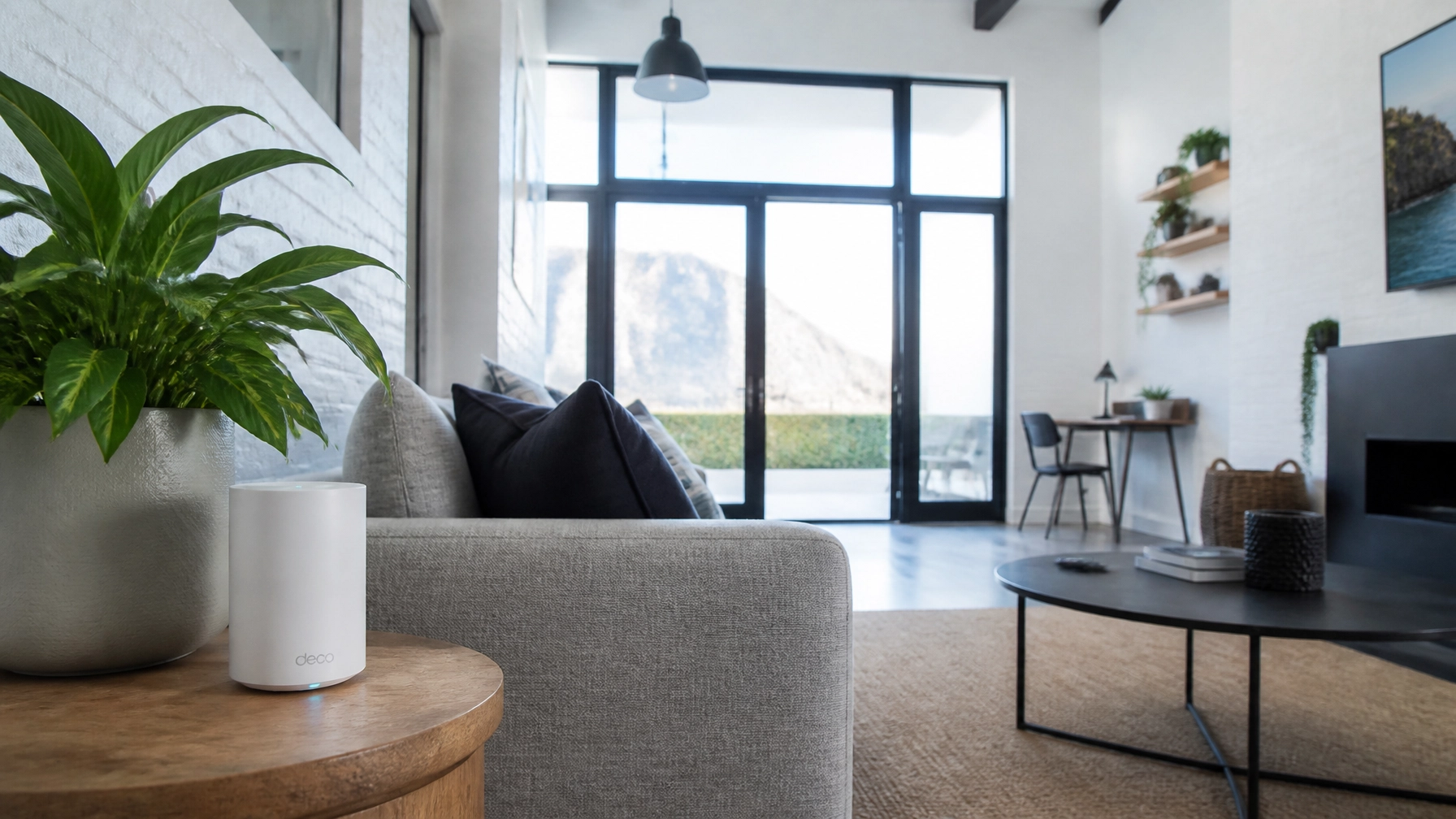
If you live in Cape Town, you know that our houses are built differently. We have those beautiful, thick Victorian walls in Sea Point, solid brick structures in Green Point, and sprawling multi-storey estates in Camps Bay. They look incredible, and they’re built to last, but there’s one thing they absolutely hate: WiFi signals.
If you’ve ever walked from your lounge to your bedroom and watched your signal bars drop faster than the temperature when the South Easter blows, you’re not alone. The "thick wall struggle" is the number one reason Capetonians call us at WiFi Heroes.
When it comes to fixing those dead zones, the debate usually boils down to two heavy hitters: Mesh WiFi and Wired Access Points. But which one actually wins the battle against Cape Town’s signal-blocking architecture? Let’s dive in and settle the score.
The Contender: What is Mesh WiFi?
Mesh WiFi is the "cool kid" of the networking world right now. Unlike a traditional single router that sits in the corner of your house trying to do all the work, a Mesh system uses a "pack" of devices (nodes) that you scatter around your home.
One node connects to your fibre box, and the others talk to it wirelessly, creating a "web" of coverage.
Why People Love It
- Super Easy Setup: Most Mesh systems, like the ones from TP-Link or Eero, are designed for the average person. You plug them in, open an app, and follow the prompts.
- No New Cables: Since the nodes talk to each other wirelessly, you don’t have to worry about drilling holes or running blue cables through your ceiling.
- Seamless Roaming: It creates one single network name (SSID). You can walk from the kitchen to the garden, and your phone will automatically switch to the strongest node without dropping your call.
The Cape Town Reality Check
Here’s the catch: Most Mesh systems use something called "Wireless Backhaul." This means the nodes use the same WiFi signal to talk to each other that they use to talk to your phone.
In a modern home with thin drywall, this works great. But in a Cape Town home with double-thick brick walls? That signal has to fight its way through a wall just to reach the next node. By the time the signal gets to the third node in your back bedroom, it’s already exhausted. You might have "full bars," but your actual speed will be a fraction of what you’re paying for.
The Champion: What are Wired Access Points?

Wired Access Points (APs) are the gold standard for anyone who takes their connectivity seriously. Instead of relying on a "hop" through the air, every single Access Point is connected back to your main router via a physical Ethernet cable.
At WiFi Heroes, we often lean toward Ubiquiti solutions for this. These are the sleek, saucer-shaped devices you see on the ceilings of high-end hotels or modern offices.
Why the Pros Swear By It
- Maximum Speed Everywhere: Because every AP has a direct "pipeline" (the cable) to the internet, it doesn't matter how thick the walls are. An AP in the bedroom will give you the exact same speed as the one in the lounge.
- Rock-Solid Stability: Cables don't care about interference from your neighbour's microwave or the density of your bricks. If the cable is plugged in, the internet is there.
- Capacity for More Devices: If you have a smart home with CCTV cameras, smart lights, and multiple people streaming 4K Netflix, a wired system can handle the load without breaking a sweat.
The Trade-Off
The "con" here is obvious: Installation. You need someone (like our WiFi Heroes team) to get into your ceiling, run cables to the right spots, and mount the devices. It’s a bit more work upfront, but the results are night and day.
The Battle of the Brick: Why Your Walls Matter

In the networking world, we talk about "attenuation." That’s just a fancy word for things that get in the way of your WiFi.
- Drywall/Wood: Minor annoyance. Signal passes through easily.
- Glass/Mirrors: Surprisingly annoying. They reflect signals.
- Brick and Mortar: The enemy. A single solid brick wall can cut your WiFi speed by 50% or more.
- Reinforced Concrete: The end boss. If your home has concrete slabs between floors (common in modern Atlantic Seaboard apartments), a wireless signal will almost never make it through.
This is why a Mesh system often struggles in Cape Town. If Node A and Node B are separated by two thick walls, their "conversation" is quiet and slow. If you wire them, you bypass the walls entirely.
Comparison at a Glance
| Feature | Mesh WiFi (Wireless) | Wired Access Points |
|---|---|---|
| Ease of Install | Very Easy (DIY) | Moderate (Requires Pro) |
| Speed | Good (but drops through walls) | Maximum (Full speed everywhere) |
| Reliability | Decent (occasional reboots) | Extremely Stable |
| Aesthetics | Small boxes on tables | Sleek ceiling-mounted disks |
| Cost | Lower upfront | Higher (due to cabling) |
| Ideal For | Small-Medium homes, Renters | Large homes, Home offices, Owners |
When Should You Choose Mesh?

Mesh isn't "bad": it's just a specific tool for a specific job. You should consider a Mesh system if:
- You’re Renting: If you can’t drill holes or run cables, a high-quality tri-band Mesh system is your best bet.
- The Layout is Open: If your home is relatively open-plan and the nodes can "see" each other through doorways, Mesh will perform beautifully.
- You Have Basic Needs: if you just want to browse Instagram and check emails, you might not need the heavy-duty power of a wired system.
Pro Tip: If you go Mesh, look for "Tri-Band" systems. They have a dedicated radio frequency just for the nodes to talk to each other, which helps mitigate the speed loss through those Cape Town walls.
When Should You Choose Wired Access Points?
If you want to "set it and forget it," Wired APs are the way to go. This is the choice for you if:
- You Work From Home: If your income depends on Zoom calls not freezing, you cannot rely on wireless backhaul. You need the stability of a structured data cabling setup.
- You Have a Large or "Difficult" House: If you have multiple floors, a garden cottage, or those famous thick walls, wiring is the only way to ensure 100% coverage.
- You’re a Power User: Gamers, streamers, and smart home enthusiasts need every bit of bandwidth they can get.
- You Want Long-Term Value: A professional Ubiquiti or business-grade AP system will outlast a consumer Mesh kit by years. It’s an investment in your property.
The WiFi Heroes Approach: The Best of Both Worlds
At WiFi Heroes, we don't believe in "one size fits all." Sometimes the best solution is a Hybrid Setup.
We might run a high-speed cable to your home office and the main lounge (Wired APs), but then use a Mesh node to extend coverage to a guest room where cabling isn't practical.
Our process starts with a Wi-Fi Consultancy session. we don't just guess where the signal goes; we look at your floor plan, test your wall density, and design a custom map that ensures you have "heroic" speeds in every corner of your Cape Town home.
Conclusion: Stop Fighting Your House

You wouldn't try to fill a swimming pool with a leaking hose, so why try to run your modern digital life on a struggling WiFi signal?
If you’re tired of the buffering wheel and the "Can you hear me now?" Zoom calls, it’s time to move beyond the basic ISP router. Whether you need a high-end Mesh setup or a professional Wired Access Point installation, we’ve got your back.
Ready to banish those dead zones forever? Contact the WiFi Heroes team today, and let's get your Cape Town home connected properly.